APIFrame key
APIFrame key
APIFrame is a service that lets you call image, video and music models from code. Instead of a person clicking buttons on a website, the practice web app sends the request and brings back the result. Once this works, you can build a structure where "my work makes its own images".
The key is a ticket that shows the request came from your account. Credits are taken from this account, so do not show the key to anyone.
1. Copy the key
Log in to apiframe.ai with the account you paid the Basic plan on before class. Click API Keys (API 키) in the menu on the left.
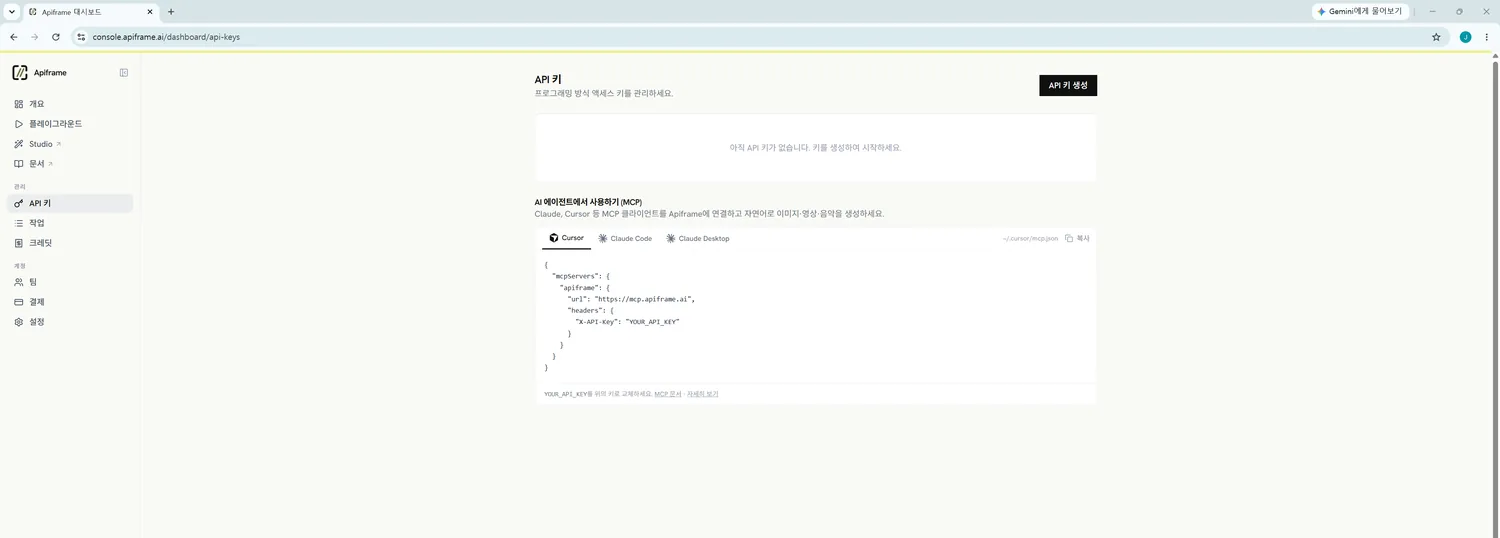
Click Create API Key (API 키 생성) at the top right. If it asks for a name, type anything that will help you recognize it later.
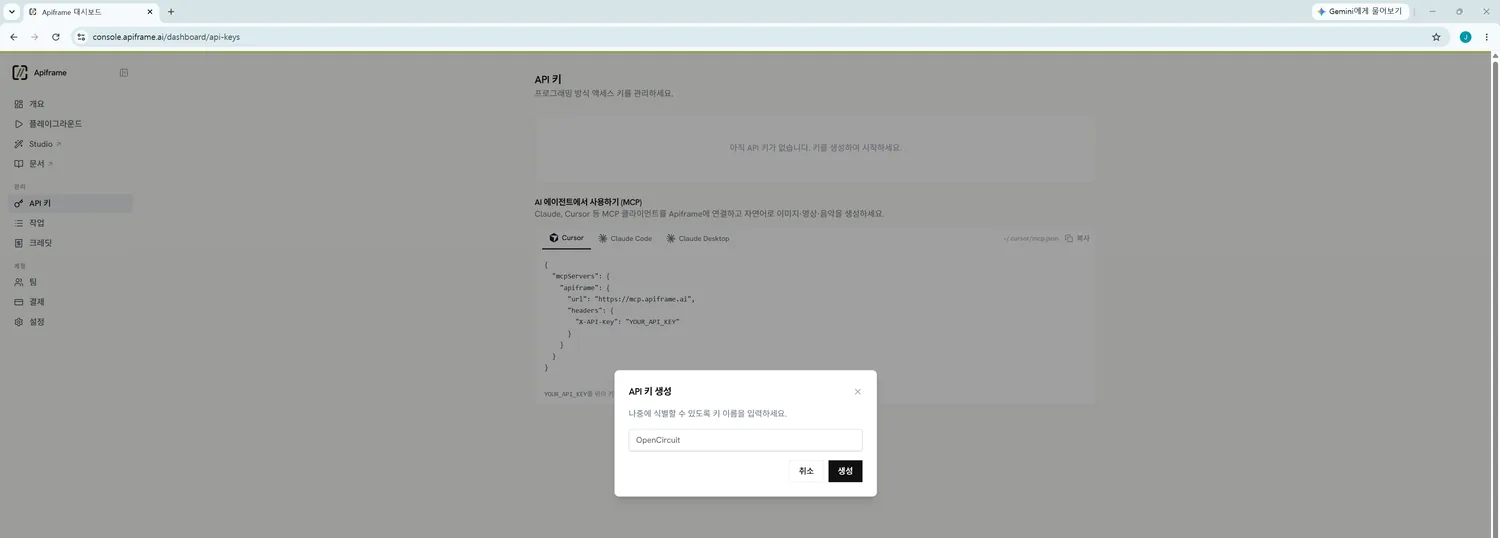
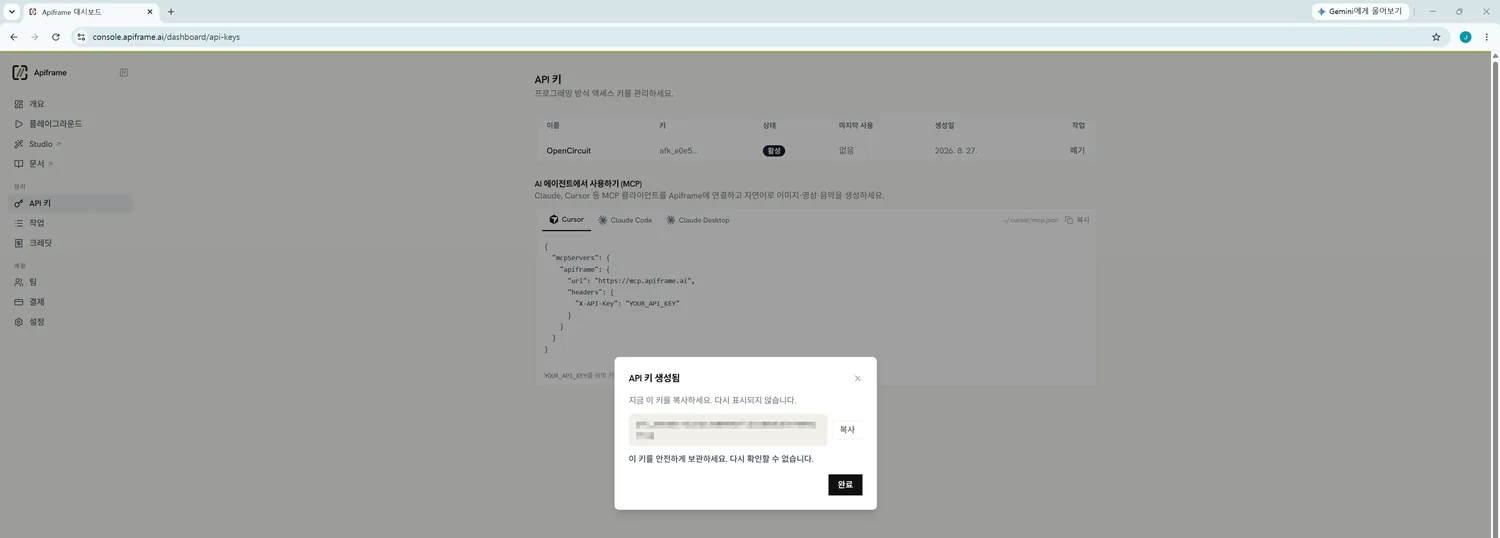
The new key is shown only once. Click Copy (복사).
2. Paste it into the practice web app
Start the practice web app (http://127.0.0.1:1234). How to start it is in Reopen.
There is an API key box in the middle of the screen. Paste the key there and click Save to this computer (이 컴퓨터에 저장).
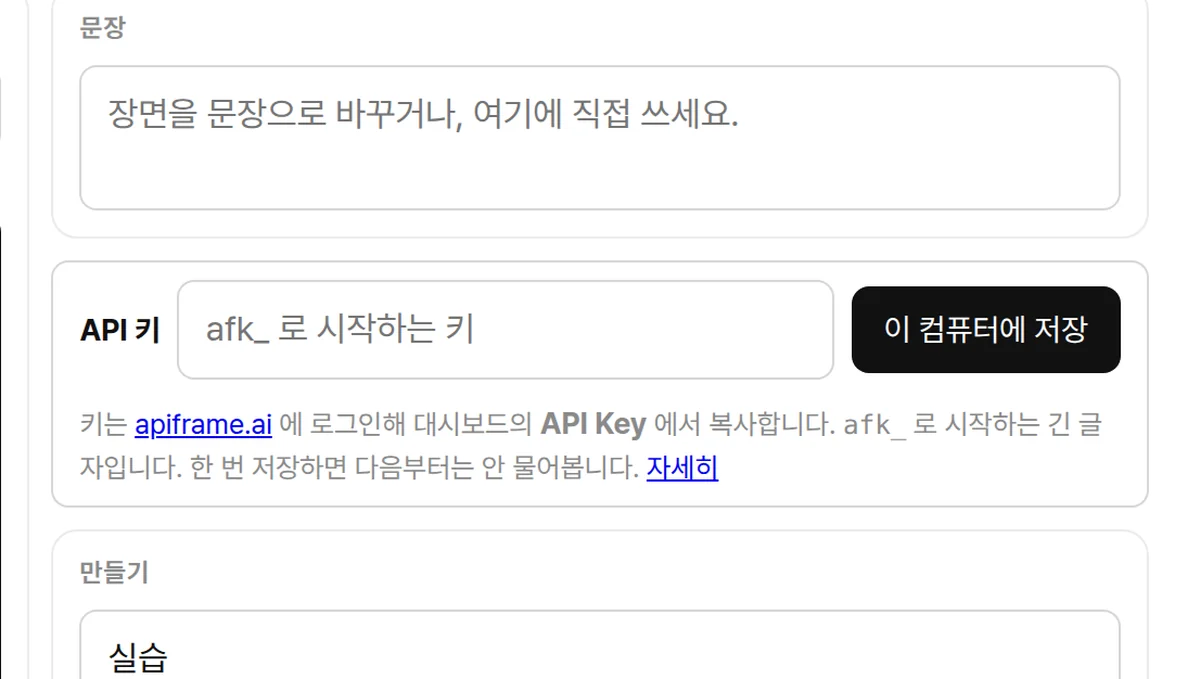
The key is saved in your home folder on your computer (.opencircuit/apiframe-key). It is not inside the repository folder, so it is not uploaded to GitHub.
3. Try making something
Once the key is saved, the Make section becomes active.
- Choose a project name. Results are collected in a folder with this name.
- Choose image, video or music, then choose a model.
- Click Make (만들기).
The number of credits it will use is shown next to the button beforehand. An image usually takes under a minute, a video 2 to 4 minutes, and music 1 to 2 minutes. What you make piles up under Results at the bottom of the screen, and is also saved on your computer in OpenCircuit/project-name/media inside your Documents folder.
If it does not work
| If this happens | Do this |
|---|---|
| Red text appears after clicking Save | A space or line break may have come along before or after the key. Copy it again and paste it |
| It says "Key saved" but making fails | You may be out of credits. Check your balance on the apiframe.ai dashboard |
| The result never arrives | A video can take up to 4 minutes. If it takes longer, refresh the window and try again |
Why an API
- You can repeat the same request hundreds of times: depending on sensor values, on time, on how visitors respond.
- You can pass the result on to other code. You can chain things so that, for example, a moving hand changes the image.
If you want to call it directly from code without going through the practice web app, ask the Cursor chat like this.
Make a Node.js script that generates an image with the APIFrame API.
Read the key from .opencircuit/apiframe-key in my home folder.
Wait until generation finishes, then save the result image in the out/ folder.
Refer to the official APIFrame docs at https://apiframe.ai/docs.